


I’ve spent twelve years telling engineers what to build. But in March, I built something myself. Like, with my own actual, bare hands (insert gif of mad scientist here).
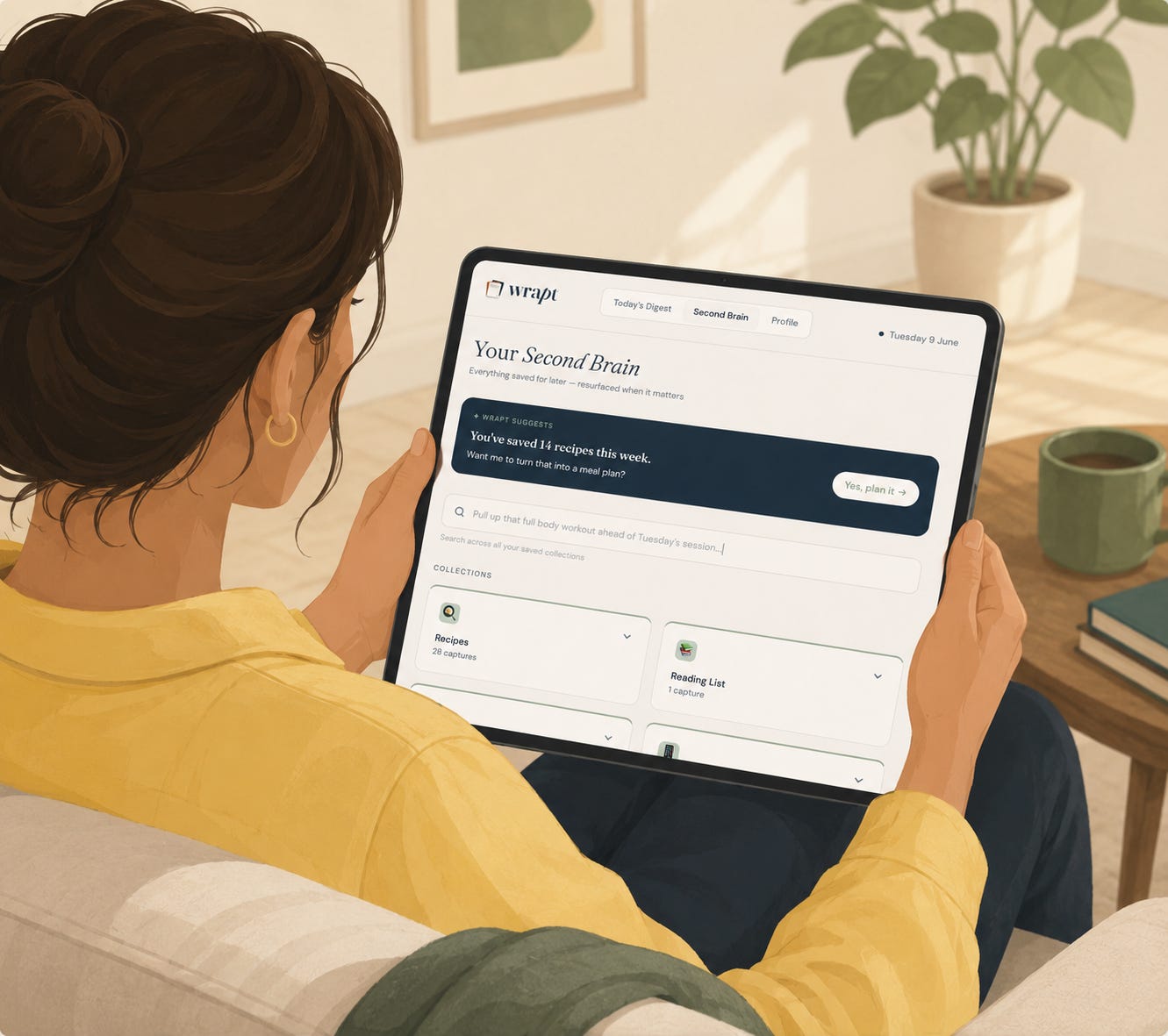
And it wasn’t just a prototype. It wasn’t a Figma file dressed up as a demo. An actual working product, complete with a database, an AI pipeline, email infrastructure, and even a feature I didn’t initially plan for that turned out to be the one people who’ve used it so far love the most. It’s called Wrapt, and it goes into Beta on 12 June (you can join the waitlist here). I’ve genuinely found the whole process exciting and so I wanted to share how I did it, what I used, and what surprised me most about building from the other side of the table.

What is Wrapt anyway?
I kept screenshotting things I meant to come back to. Recipe ideas, podcasts I wanted to listen to, restaurants to visit, ideas of what to do with the family over the next half term, a workout I wanted to add to my routine, or the drama club timetable so I could remember to order costumes on time. The screenshots kept piling up (don’t even look at how many screenshots I have in my Photos) but the thinking almost never happened.
I wanted something that would take that digital scatter and surface it to me, summarised and organised, at a useful moment (usually once I’ve got the girls to bed and I have 10 minutes to myself). I didn’t want a note-taking app, or another ‘smart’ inbox. I wanted something that worked like a thoughtful assistant who had actually read everything you sent them during the day. I wanted this assistant to have chief-of-staff, Olivia-Pope-it’s-handled energy, that would help me triage and action all these ideas I kept saving.
I built the first version of Wrapt at the #SheBuildsonLovable hackathon for International Women’s Day. To be honest, I didn’t start off wanting to build a whole app; my initial intention was to get some free credits, play around with Lovable and network with like-minded women. But then, it worked! And honestly I got addicted and just couldn’t stop.
The stack
Here’s how I built Wrapt, beyond the initial UI.
I used Lovable for the frontend (but you knew that already). I described what I wanted, iterated on it conversationally, and didn’t write a single line of React. That said, you have to know what you’re asking for. Being a product manager – and having worked with designers closely helped – as I could articulate the interaction patterns and behaviours I wanted, not just the aesthetic of the page.
I used Supabase for the database, storage and backend logic. Lovable does have a low-lift way for you to connect to Supabase via an integration and this is what I started with. However, I eventually migrated to a self-owned instance after realising I needed proper control over the data. This ended up being much harder than I expected, but was genuinely worth it for the improved flexibility and control.
I used Make as the automation layer – it’s the glue that sits between the user sending a capture and a card appearing on their Digest screen. In simple terms, when you send a screenshot to Wrapt, it passes it to Claude for classification and routes the results back to the database, so it shows up in the right place in the app. I rebuilt this pipeline from scratch twice. The first time, I hadn’t thought carefully enough about what should happen when things go wrong – a failed step, an unexpected file type, a capture that didn’t contain enough information to classify cleanly. The second time, I did. That’s a very PM lesson to learn the hard way when you’re also the engineer.
I used Resend to handle the transactional emails, which sounds like a minor detail until you realise that the evening digest is the product. It’s certainly a core part of the whole proposition because it’s the moment Wrapt earns its place in your day. Getting the email infrastructure right mattered more than I initially gave it credit for.
The Claude API is the thing that makes Wrapt feel like Wrapt. It classifies each screenshot, categorises it, and extracts key information to display when the capture is shown on the Digest screen. It also attempts to determine user intent in order to suggest the right action/next step. In building this, I’ve really learnt that the difference between a good prompt and a mediocre one is not subtle. I’ve written about this separately, but the short version: Claude is doing real reasoning here, not just pattern matching.
I made a quick demo video so you can see it in action.
What I learned about building vs just writing specifications
As a PM, I’ve always thought about edge cases. I’ve mapped out the happy paths, the unhappy paths, and workshopped with teams how to elegantly handle situations when data is missing, or when the user does something unexpected.
What I didn’t fully appreciate until I started building myself is the distance between simply naming an edge case and actually resolving it. A key moment that shifted my thinking on this was when I was debugging the evening digest pipeline. The happy path was super clear to me – if the user had taken captures that day, Make would summarise them and send a digest email at 8pm, so that the user could action their captures, or save to Second Brain for future reference. I had to think through this, and what the build required was:
An RPC function – basically a way of asking the database to do a calculation and hand me back the result. More elegant, I found, than fetching the raw data and doing the math manually
Cron scheduling – basically a timer that tells the system ‘run this job every evening at 8pm’
Token limit handling – Claude can only read so much text at once, so if a user had saved a lot that day I had to make sure I wasn’t trying to feed it more than it could process, and
Null checks – what happens when the response is empty? Essentially, what do you send a user who hasn’t captured anything that day
Each of these things isn’t a surprise in theory. But getting a blank digest email when I fired a test and then having to work backwards to understand where in my pipeline the issue was, certainly required a different kind of thinking, and a different muscle than I’ve had to use.
On the plus side, I’d like to think it’s made me a better PM. Not because I didn’t care about edge cases before, but because I now have a much more honest view of what it costs to close them. And what my engineers might have been doing when I thought they’d gone quiet on me for 3 days.
The feature I didn’t initially plan for
When I started building Wrapt, I thought the core problem was capture and categorisation. You screenshot something, it becomes a card, it’s organised. Bish, bash, bosh. Job done.
But the more I used it myself, the more I realised that wasn’t the real need. The real need is getting you closer to actually doing something with the thing you saved. And that’s a harder problem.
A screenshot of a restaurant you saw on Instagram doesn’t tell you when it opens, what the vibe is, how far away it is from you and whether it’s truly worth the trip. A screenshot of a recipe doesn’t tell you the technique, or what you could substitute if you’re missing an ingredient. A screenshot of a summer cooking camp doesn’t tell you what ages it covers, and therefore if it would be suitable for both my 6- and 9-year old. So yes, the card exists, but the context that would help you act on it doesn’t - yet.
That’s what ‘Look it up’ does. You send Wrapt the capture and ask it to go further. It then enriches the card with information that wasn’t in the original screenshot, fills in the gaps, and saves a richer version of your capture to your Second Brain. Which means when Wrapt surfaces contextual action buttons – book it, try it, add it to your list – they’re useful, because there’s enough context behind them to make a decision (see it in action here).
The feature emerged from my own frustration with the first version of what I built. I’d saved something – it was a sushi making class for kids – but when I went back I felt the friction of not having enough information to know if I could sign my girls up for it. That’s the thing about building your own product – the right features become more apparent when you’re the user too.
What’s hard about building with AI tools
Building with AI is genuinely exciting, and it’s quite extraordinary how far these tools have come. The speed at which you can go from idea to something working, is unlike anything I’ve experienced in my 12 years of building products.
But there is a version of this narrative that seems to be popular when I read articles online, and it’s that the tools are doing the hard part and the human is just copying and pasting. I really disagree with this. What AI tools have done is to remove the technical barrier and dramatically reduce the cost of execution. However, what they haven’t done is remove the need to think.
When I was iterating on the classification prompt – the logic that determines what type of card a capture becomes – the model would do exactly what I told it to. What was hard was making sure what I told it to do, was the right thing to do. That it solved the user pain point and created the intended experience. Getting this right required knowing what good looked like. Being able to tell the difference between a prompt that was technically correct, and one that actually produced something useful.
That’s taste, and that’s applying judgement. That’s also domain knowledge. And none of that comes from the tool.
The PMs and founders I think will get the most from this wave of innovation aren’t necessarily those who are the most comfortable with technology. They’ll be the ones with a clear point of view, a genuine understanding for the problem they’re solving and the user they’re solving it for, and the taste to know when something isn’t good enough yet. The bar for execution might have dropped, but the bar for thinking hasn’t moved.
Where it is now
After a round of feedback from my earliest testers, Beta access opens in a few days on 12th June. If you want to be one of the first in, you can join the waitlist at get-wrapt.ai. I’d genuinely love to get feedback from product people on this. You’ll know what to look for and you won’t be shy about telling me what’s broken.

thank you for describing your journey and the findings Ekaete!
The beauty in today's world is that everyone can build (almost) everything, even if they don't have the technical background. This opens up endless possibilities for a lot of custom software, custom solutions, and custom products.